

Best EQ plug-in for vocals
The best EQ plug-in for vocals in a track in my opinion is the Fabfilter Pro Q3.
The thing you need to understand more than this though, is that it’s how you use it that makes the difference, not the plug-in.
Having the best EQ doesn’t automatically make the vocal sound better. I’d go as far as saying that someone who knows what they are doing, with an average EQ, will make a vocal sound better than someone with the best EQ, but who doesn’t really know what they are doing.
This is one of those situations when the phrase “all the gear but no idea” rings true.
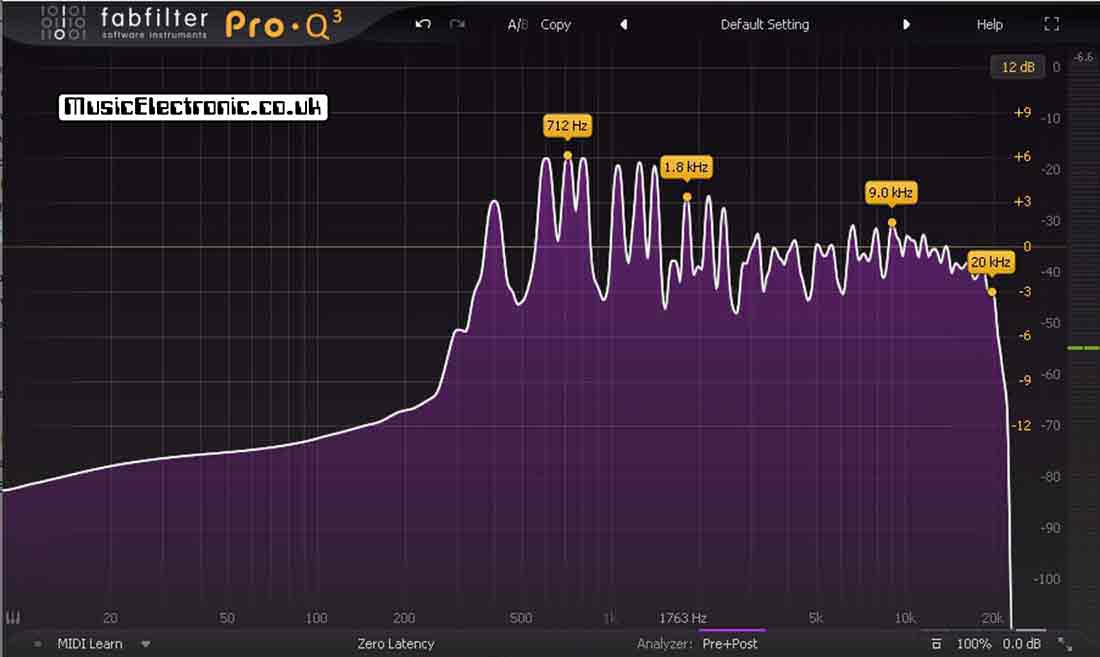
While the Fabfilter Pro Q3 is a fabulous tool you should ask yourself if you really need it. The EQ devices that come with DAWs (digital audio workstations) really are rather good. So good in fact that if you compare them to the EQ you used to get on home recordings mixing desks a few years ago there really is no comparison!
What are the problems with EQ?
EQ has several problems. First, it’s difficult to have an EQ that doesn’t “change” the sound in some other way.
Without wanting to turn this into a mathematical technical piece that will bore you stupid. You’ll just need the realise that because of phases the sound will alter slightly. You really only want the EQ plug-in to alter the EQ but there are some sound, side effects with EQ.
Another problem with EQ is that as a tool it might not be able to do exactly what you want it to do. My old Soundmaster mixing desk only had high low and middle controls to boost or cut.
It wasn’t precise enough to do a lot of EQ jobs (better than nothing though).
Vocal EQ
Luckily though with vocals, you shouldn’t really need to do huge tonal changes.
If you do there’s probably something wrong with the vocal recording to start with. If this is the case you will probably be better at getting the sound correct first. You may have heard it before but in recording it’s better to have something decent to start with than take a bad sound and try to rescue it in the studio.
If you have got a bad vocal recording you should look at some of the basics as to why. First, are you recording in the right space? If this is the problem have a look at my article about how I found a better vocal recording space and how I use it almost exclusively now!
You should also have a look at my guides about whether or not you need a pop filter and using or avoiding microphone proximity effect.
Although you will use other effects on a vocal such as reverb or chorus you shouldn’t start using these until you’ve got the EQ right. Then you can tweak it slightly once you’ve got your other effects right.
The one exception here though is vocal compression. Do this first. If you need some tips then have a look at my getting the compression right on vocals guide.
What does EQ really do?
What does EQ do, it boosts and cuts frequencies in your audio track.
In real life, it changes the way a track sounds. It corrects it when it’s wrong and makes it better when it’s right. I think everyone is familiar with EQ even if you’ve just altered the bass and treble controls on a hi-fi you’ve used EQ.
When I got my first synthesiser, a Sequential Circuits Pro 1, I heard it used on records but I was puzzled as to why I couldn’t get my bass sounds to sound like they did on records. What I was missing of course was EQ, but when I turned up the bass on my Fostex X15 portastudio (remember those!) it still didn’t sound “right”.
That’s the first lesson. All EQ isn’t the same even, if the specifications say it is. A simple bass control won’t give you much control. If you are looking to get a specific bass sound you need more control. It’s the same with vocals.
The more controls you have the better. It won’t necessarily sound better but it may be able to do exactly what you need.
Native Instruments EQ plug-ins
Native Instruments have a whole lot of studio effects in their bundles.
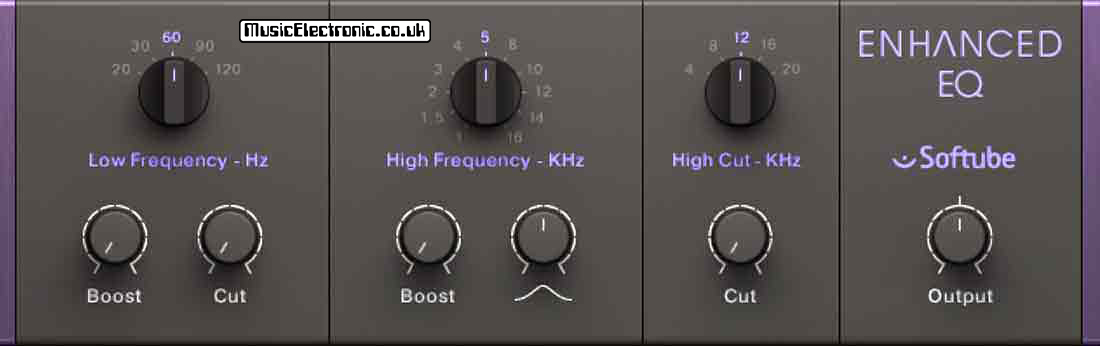
I’ve mentioned them before in my articles about reverb. Compression, and chorus. It’s no surprise that they also have EQ covered. If it’s valve EQ you’re interested in, there is the Tube EQ by Softube. There is also the Softube 4-band passive EQ and also a 6-band EQ.

These are all up to the usual Native Instrument standards and these bundles are well worth getting as you get lots for a good price to experiment with, which is the best way to learn how to do stuff. The particular bundle I got had 23 different and extremely good plug-ins to aid recordings.
Fabfilter Pro-Q3
This is an excellent EQ for use on vocals because of the control it gives you.
You can also use it on all your other tracks and even the complete mix. When it comes to EQ the Fabfilter pretty much covers all your EQ needs. I mentioned at the beginning of this article that I couldn’t EQ how I wanted to because of the limited control I had at the time.
There are no such worries with the Fabfilter Pro Q3. If you like working graphically or with controls it makes no difference with this device as it displays and uses both.
Best EQ plug-in for vocals: The Fabfilter pro Q3 in use
You can click on the frequency graph and pull up or down and the controls appear if you want to tweak them further.

The picture above shows the default “flat line” setting. If you click on the line it will tell you the frequency at that point. In the above example, it’s 1126Hz.

Once you’ve created a “point” by clicking you can drag it up or down to alter the EQ. You’ll see the effect graphically.
This can be very useful as it also shows you a frequency response, so you can see where you have peaks at a certain frequency. It also reads and displays what these frequencies actually are. You can easily click on it and reduce it to exactly the right amount to flatten it by looking at the real-time display.

Once you’ve done this, controls appear to give you more precise control. In the picture above you can see that the gain is +9.09dB.
With the “Q” control you can decide how wide or narrow the adjustment is. You can also click as many times as you need to so if you need nine different frequency alterations then you can do that.

As you can see in the picture above, if you are playing a track the frequency spectrum is displayed in real-time along with the “line” showing what the Fabfilter is doing.
Latency in EQ plug-ins
As I mentioned earlier, an EQ can change the phase of frequencies which alters the sound.
The Fabfilter EQ gives you options if this is something you need. Personally, I’ve never really found the phase issue to be that noticeable but I’m not saying others won’t.
You can have “Zero Latency” which means you hear it as it happens.
You can change this setting to “Natural Phase”. This gives you the most accurate frequency response and the best sound quality without introducing long latency or any noticeable “pre-ring”.
The third option is “Linear Phase”. This doesn’t alter the phase of the original signal at all. If you EQ different sounds with correlating phase characteristics, this may be what you need.
It does however introduce latency and could cause some pre-ringing. You do have the options there though if you get phase problems, which is good to know.
EQ matching
Another thing worth mentioning is that you can do EQ matching.
This enables the plug-in to listen to a sound or mix and then it adds as many EQ bands as it needs to match the output of the Pro Q to that of the reference. This feature is under the “Analyzer” Pre+Post tab. It can provide a quick way to match the EQ of sounds.
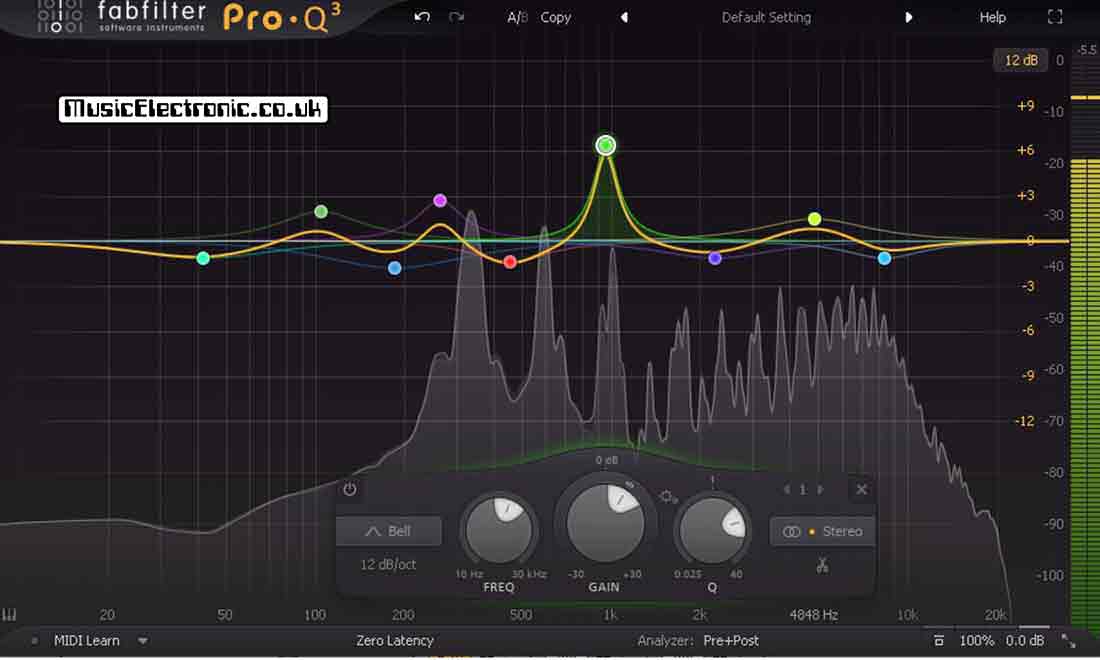
Originally EQ plug-ins had a finite number of bands. Ableton Live now has the EQ 8. You can create 8 points at the frequencies you want. With the Fabfilter Pro Q3, you create as many or as few as you need.
In the picture above I’ve got 9. You might think that’s a bit over the top but if you use the EQ matching feature you’ll be surprised at how many points need to be created to accurately match an EQ.
Final thoughts on the best EQ plug-in for vocals
To sum up in my opinion the Fabfilter Pro Q3 is the best EQ plug-in for vocals.
Don’t automatically think the EQ in your DAW isn’t good enough. These days the EQ facilities you get with a DAW are high quality. It may be all you need.
Experience and knowledge with EQ are better than using the best EQ plug-in badly. Of course, there’s no better way to learn than to get your hands dirty and give things a try.
If that’s what you want to do you’ll find that there’s no better EQ to learn with, due to the way the display interacts with what you do and you can see exactly what the frequency spectrum looks and sounds like before and after.
Couple that with the fact that you can match EQ and look at the response to see what the Pro Q has done to achieve it and you’ve got a pretty good tool to measure as well as perform.

In the picture above, you can see the “Q” control has been highlighted in yellow. Not only can you see that its value is 5.907 but a box has appeared to explain exactly what it’s all about. This is extremely helpful for a beginner.
In my opinion, the Fabfilter Pro Q3 is not only the best EQ plug-in for vocals but the best EQ plug-in full stop.